
We at Brewcraft have implemented new security systems with our new site and customers may need to reset their passwords if they did not meet our security measures as we take your details seriously here at Brewcraft.
So if you have issues logging in – how do you reset your password?
- Go to Your Account at the top of the Brewcraft Home Page
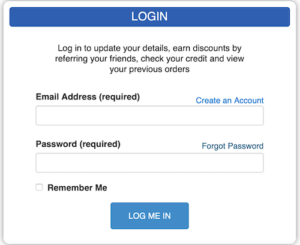
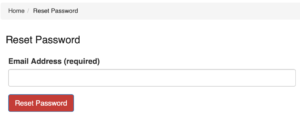
Click on forgot password and enter your email address
A link will be sent to you with a temporary password that will allow you to login to the site
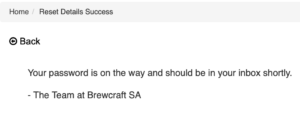
Check your email inbox and you should see an email similar to this
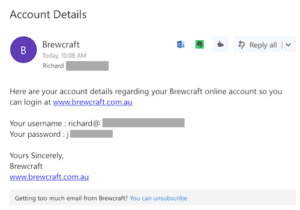
You should then logon to your account with the password we have sent you – Then you can change it to your own password that meets the following minimum conditions:
- 8 characters
- 1 upper case letter
- 1 character (eg:!@#)
This is designed to keep your details secure.
Then logon to Your Account
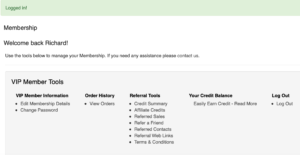
Then click the Change Password link under VIP Member Information and enter your own password
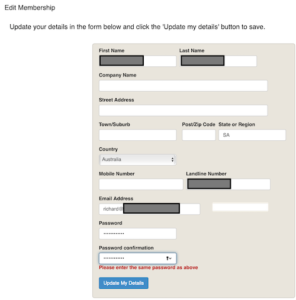
Having a secure password helps to making sure that your account and your details are as secure as we can make it.